Navigation Picker (Multi-App Launch Screen)
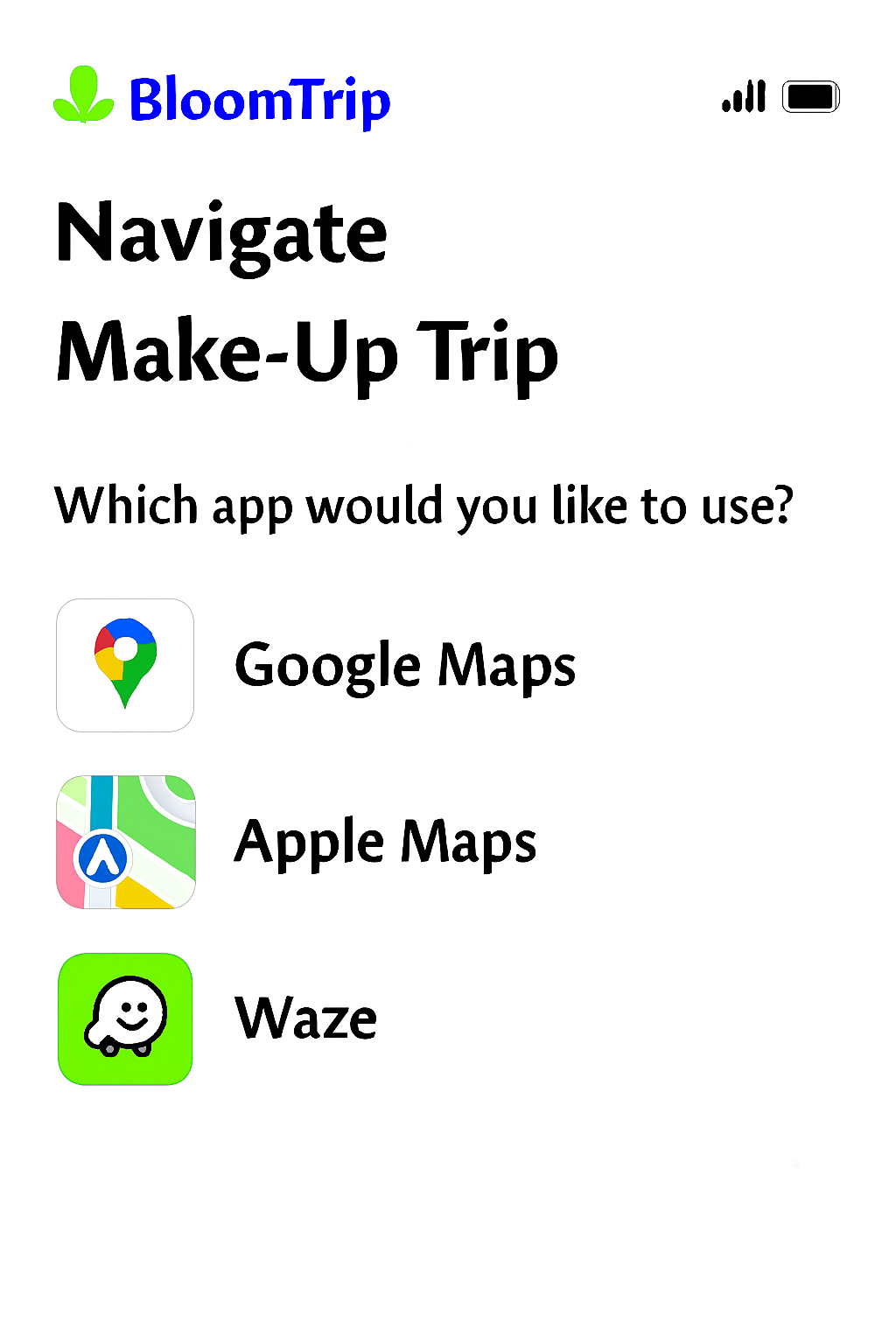 Figure 7. Navigation Picker: post‑commit (or Resume > Navigate) screen offering Google Maps, Apple Maps, or Waze with preloaded route + waypoints and trip summary context.
1. Purpose
Provide a frictionless handoff from planning to real-world movement. Users select their preferred navigation app and continue the itinerary with correct ordering of key Petals (POIs) and timing assumptions.
Appears when:
- User taps “Navigate” from: Trip In Progress (after save) or a committed trip view.
- User resumes a trip mid-route and requests directions.
2. Core Elements
| Element |
Description |
Notes |
| Title Block |
“Navigate” + Trip Name |
Trip name truncated w/ ellipsis after 1 line |
| Prompt |
“Which app would you like to use?” |
Localized string key: nav_picker.prompt |
| App Option Cards |
Icon + Label + Right Arrow (focusable) |
Order = last used first (persisted) |
| Route Summary |
Distance, total petals, estimated travel time |
Travel time cached from last generation or on-demand calc |
| Context Chip Strip |
Mode icons (🚐, 🚲) + companions tags |
Reinforces personalization |
| Dismiss / Back |
Returns user to trip view |
ESC / swipe-down on mobile sheet variant |
| Provider |
Link Template |
Waypoint Support |
Notes |
| Google Maps |
https://www.google.com/maps/dir/?api=1&origin={lat1},{lon1}&destination={latN},{lonN}&waypoints={lat2},{lon2}\|... |
Up to ~10 consumer waypoints |
Encode travelmode=driving\|bicycling when relevant |
| Apple Maps |
http://maps.apple.com/?saddr={lat1},{lon1}&daddr={latN},{lonN} |
Limited (multi via daddr=lat,long+to:lat,long) |
Fallback: only origin/destination if > 1 mid stop |
| Waze |
https://waze.com/ul?ll={latN},{lonN}&navigate=yes |
Single destination |
Sequential multi-stop: relaunch after each arrival (optional prompt) |
Waypoint Compression Strategy
- Always include origin (first segment start) and final destination (last overnight / end Petal).
- Include intermediate high-value Petals (priority order: explicit user “must keep” flags > overnight > longest duration > scenic rating).
- If waypoint limit exceeded: collapse adjacent low-impact stops into a single instruction summary note (shown in an inline tip before launch).
4. Route Summary Construction
| Metric |
Source |
Fallback |
| Total Distance |
Precomputed aggregator on commit |
On-demand distance matrix if stale > 6h |
| Est Travel Time |
Summed drive segments + buffer (traffic factor) |
Live request to provider ETA API (if token budget) |
| Petal Count |
Length of segment array (activity segments only) |
n/a |
| Modes Present |
Aggregated from segment tags |
Derive from icons table |
5. Telemetry
| Event |
Payload Example |
| nav_picker_view |
{tripId, userId, candidateProviders:["google","apple","waze"], petals:11} |
| nav_picker_select |
{tripId, provider:"google", waypoints:7} |
| nav_picker_limit_trim |
{tripId, removed:3, kept:7} |
| nav_launch_error |
{tripId, provider:"apple", code:"APP_NOT_AVAILABLE"} |
| nav_relaunch_next_stop |
{tripId, provider:"waze", nextStopId:"snagov_lake"} |
6. Error / Edge Handling
| Scenario |
Handling |
| App not installed (mobile) |
Detect scheme failure → show inline sheet offering other apps + “Copy route link” |
| Excess waypoints |
Apply compression strategy; show toast: “Simplified route (some short stops grouped).” |
| Offline / low connectivity |
Present cached polyline static preview + allow copy coordinates |
| Mixed travel modes (e‑bike + drive) |
Prefer driving for backbone; inject note: “Segment 3 is ride-only – switch to cycling after parking.” |
| Permission denied (location) |
Prompt OS request; if denied, fallback to origin as first Petal coordinates |
7. Accessibility
- Each app card: role=button +
aria-label="Open in Google Maps" style pattern.
- Keyboard order: top to bottom, Enter to launch, Space to focus details.
- Focus ring meets contrast AA (outline offset 2px, brand accent color).
- Voice summary preceding list: screen reader live region describing route summary.
8. Security & Privacy Notes
| Concern |
Mitigation |
| Leaking personal waypoint names in URL |
Use sanitized short labels or omit names; rely on coordinates |
| Over-sharing user profile tags |
Keep companions/mode local; not embedded in external link |
| Stale link reuse |
Append ephemeral ts query param so analytics can detect outdated launches |
9. Future Enhancements
- Add “Copy GPX” / “Download KML” for advanced offline use.
- Offer cycling vs driving route toggle (Google & Apple only) prior to launch.
- Multi-day navigation segmentation (launch Day N subset only).
- Auto-detect installed apps and gray out unavailable options on desktop.
Figure 7 added: 2025-09-05 (image pending upload as navigation-picker.png)
10. Implementation Checklist (Dev Aid)
| Item |
Status |
| Decide waypoint selection heuristic |
Planned |
| Implement provider detection (UA + scheme probe) |
Planned |
| Add telemetry hooks |
Planned |
| Compression & toast messaging |
Planned |
| Accessible card semantics |
Planned |
Cross-links: trip-in-progress.md, itinerary-map-page.md, itinerary-refinement-detail.md